Executive Summary
Designing Salesforce Meetings for 150K+ Users
Company
Salesforce
Timeline
6 months
Project
0-to-1 Feature
My Role
Creative Director
The Problem
COVID-19 rapidly shifted enterprise sales from in-person relationship-building to fully digital interactions.
Outside sales reps were suddenly at home dependent on video meetings, yet the tools used to prepare for and run those meetings lived outside the CRM where deal context already existed.
Sales teams struggled to:
- Prepare effectively for complex sales calls
- Coordinate presenters during live meetings
- Capture follow-ups and insights after calls
Outcome
Introduced a new meetings capability inside Sales Cloud designed to support the full lifecycle of sales calls.
Delivered in two phases:
- Phase 1: Meeting Studio, a browser-based presentation environment for running more engaging digital sales calls
- Phase 2: Meeting Digest, a workspace inside the Salesforce event record that supports meeting preparation and follow-up
My Role and Decision Ownership
The ask came from our GM. Meeting prep was already approved from the Invisible CRM vision but not yet started; when COVID-19 hit, it was folded into this larger effort, which covered the whole sales call rather than only the preparation for it. I translated the ask into a product concept and led two designers and one researcher through the work below.
Experience Lead
- Led the end-to-end design process from research through product concept and delivery
- Defined how meetings could become a first-class workflow within Sales Cloud
Idea Dash Facilitator
- Led the rapid design sprint used to identify opportunities and define the product direction
- Synthesized research insights into design principles and product concepts
Design Director
- Created early concept sketches and workflow definitions
- Directed wireframes and high-fidelity designs aligned with the Salesforce design system
Detailed Case Study
Context and Challenge
Why This Problem Mattered
What was not working
Sales organizations were forced to shift from in-person selling to fully digital communication almost overnight.
Video conferencing tools supported meetings but did not support the complex preparation and coordination required for enterprise sales calls.
Why existing tools fell short
Sales representatives had to piece together information from multiple systems to prepare for meetings.
Important deal context lived in the CRM, but the meeting itself happened in external tools disconnected from that information.
Business risk
Sales effectiveness depended heavily on high-quality conversations with prospects.
Without better support for digital meetings, teams risked:
- Losing context during important sales conversations
- Missing signals from prospects and stakeholders
- Failing to capture outcomes and next steps inside the CRM
Product and Technical Constraints
Rapid response timeline:
Sales Cloud leadership wanted to respond quickly to the shift toward remote selling during COVID-19. Waiting for the standard Salesforce release cycle would have delayed delivery, so the first phase launched as a standalone browser application called Meeting Studio.
Existing workflow dependencies:
Sales teams already relied on the Salesforce Event object to organize meetings and track activity. The new capability needed to extend this workflow rather than introduce a separate system.
Platform integration challenges
Meeting experiences required blending data across Events, Accounts, Contacts, and Opportunities, demanding careful backend orchestration.
The solution also needed to accommodate AI capabilities that might not be enabled for every Salesforce organization, ensuring the experience worked with or without those features.
Idea Dash:
Bootstrapping Salesforce Meetings
To respond quickly to the sudden shift toward remote selling, the Sales Cloud team initiated a rapid Idea Dash design sprint.
The goal was to quickly understand how digital sales calls were happening and identify opportunities where the CRM could actively support those interactions.
Rapid Research
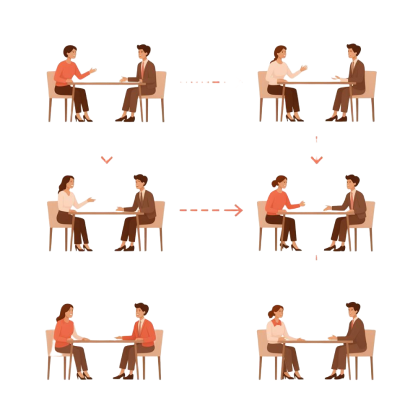
We conducted interviews with 10 sales managers and top sales representatives from Salesforce and customer organizations.
The conversations focused on the full lifecycle of a sales meeting:
- Preparing for the call
- Running the meeting
- Capturing outcomes afterward
Key Insights
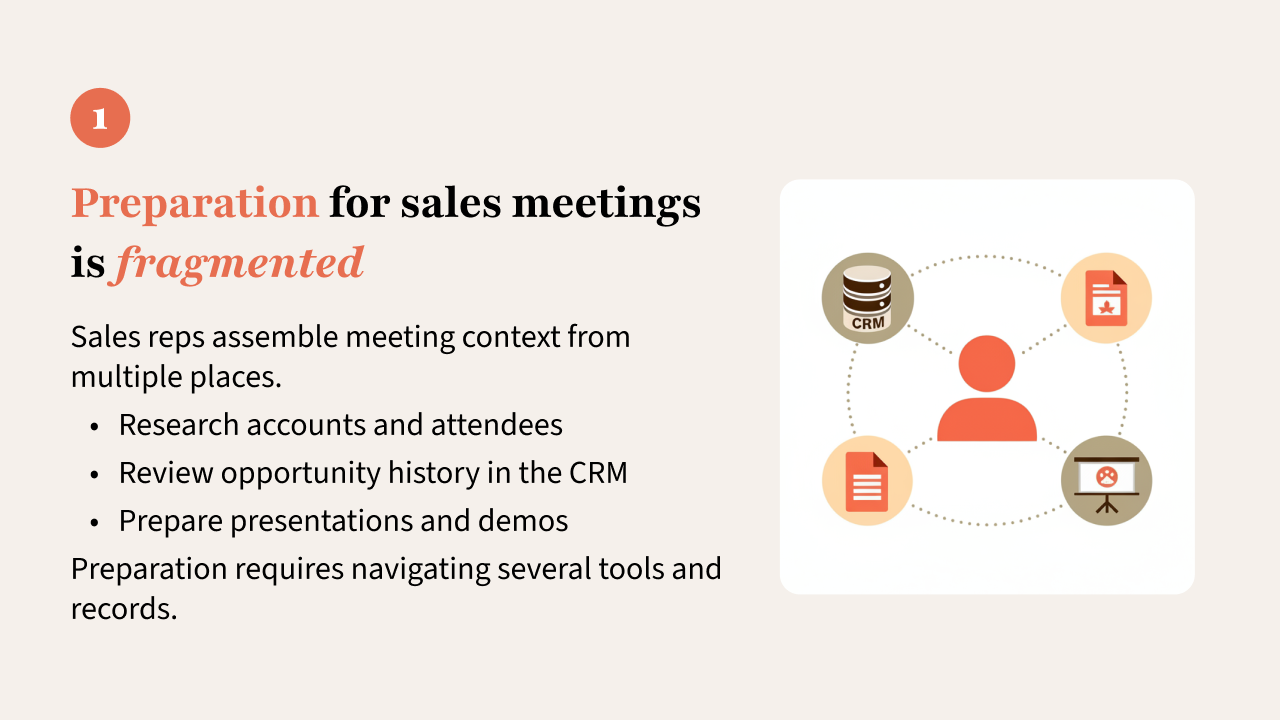
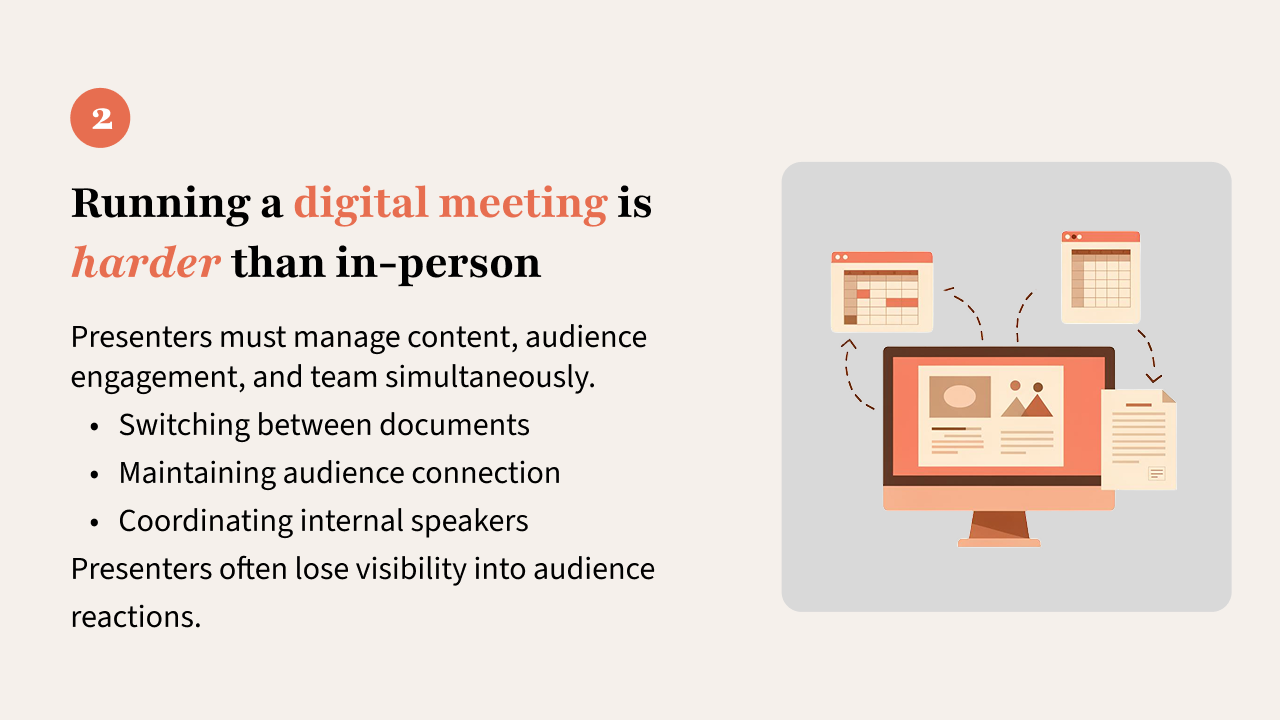
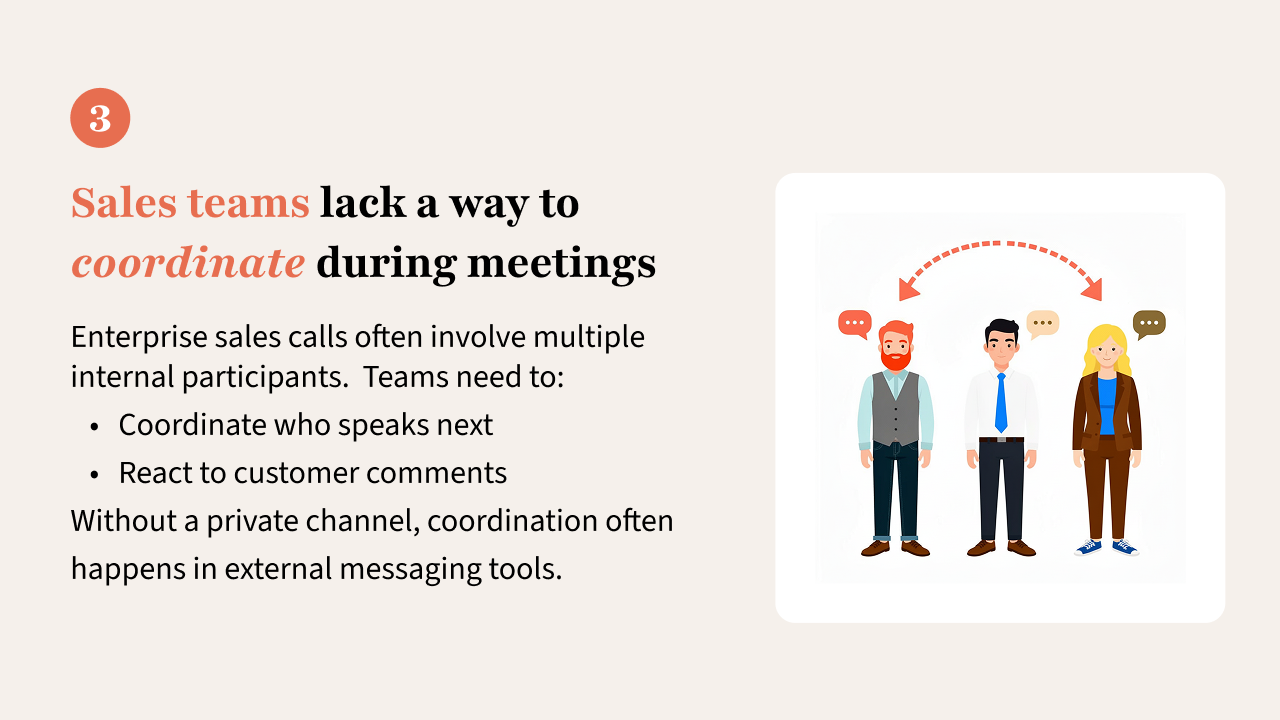
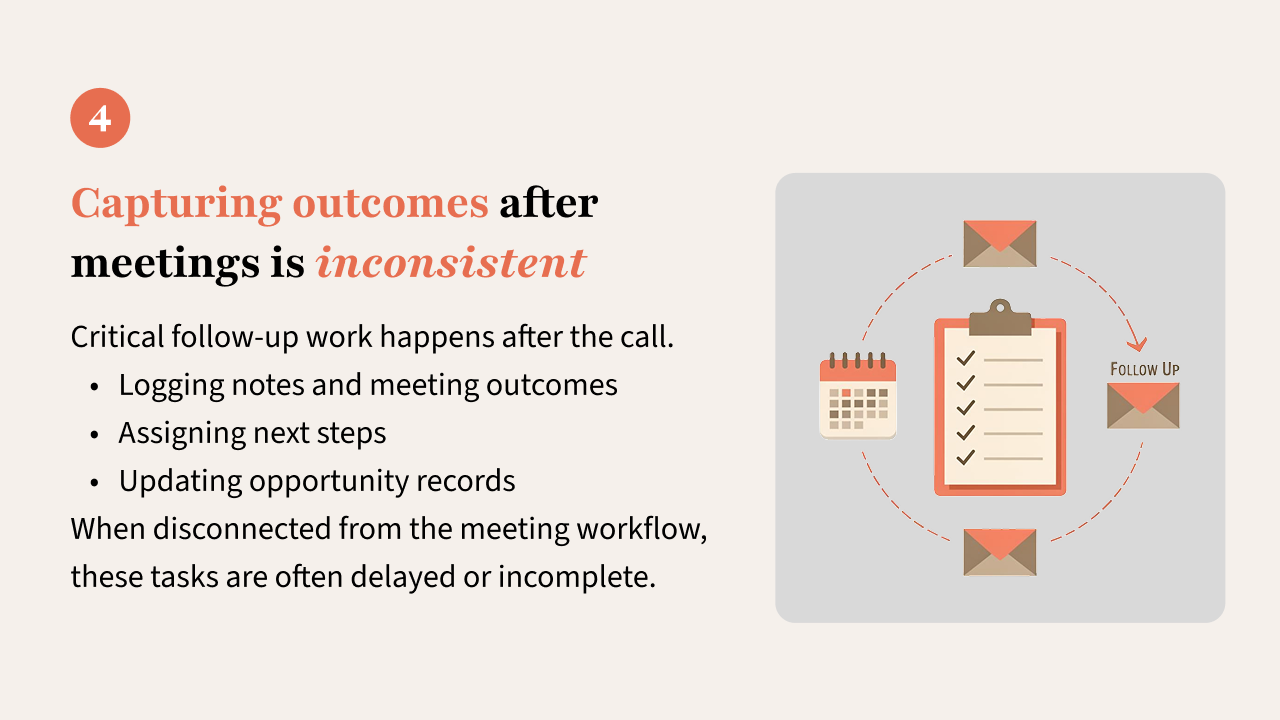
From the interviews, it was clear there were four universal themes for all salespeople that have to run online meetings with team members and prospects.
Sketches and Validation
Rapid concept sketches were generated from the research insights. These concepts were used to:
- Gather feedback from sales managers and representatives
- Validate workflows against real selling behavior
- Explore technical feasibility with engineering partners
The Idea Dash ultimately produced a two-phase roadmap for delivering the Salesforce Meetings experience.
Meeting Prep Structure
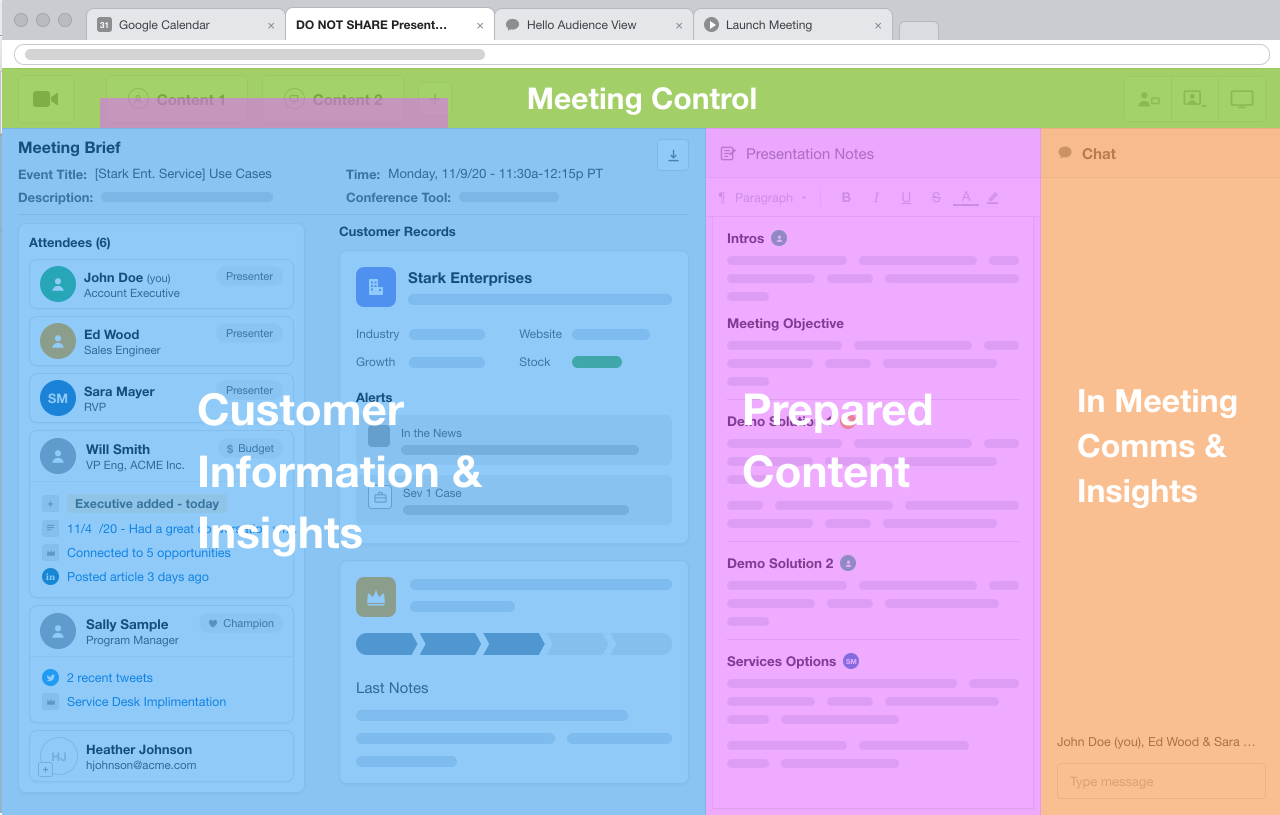
The initial sketch of the meeting prep canvas defined specific regions that supported different identified tasks.
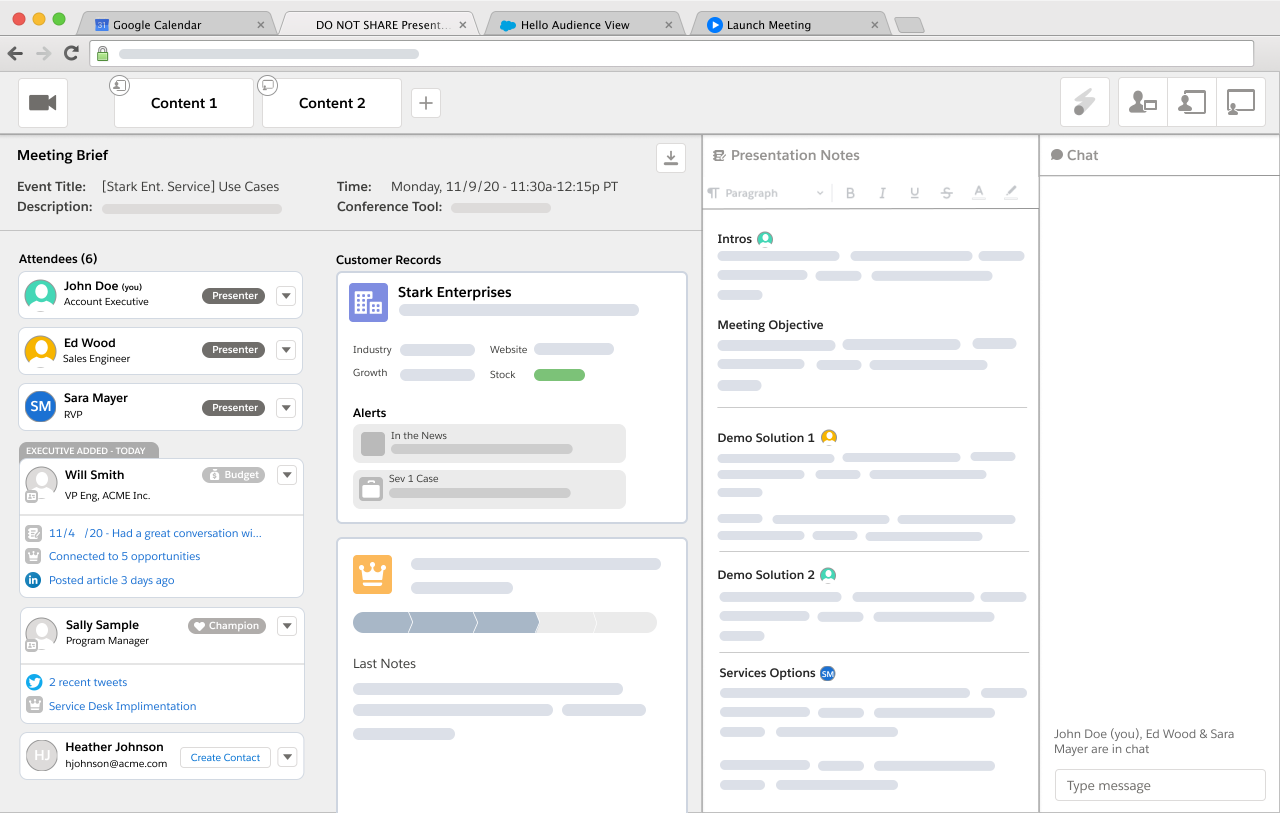
Meeting Prep
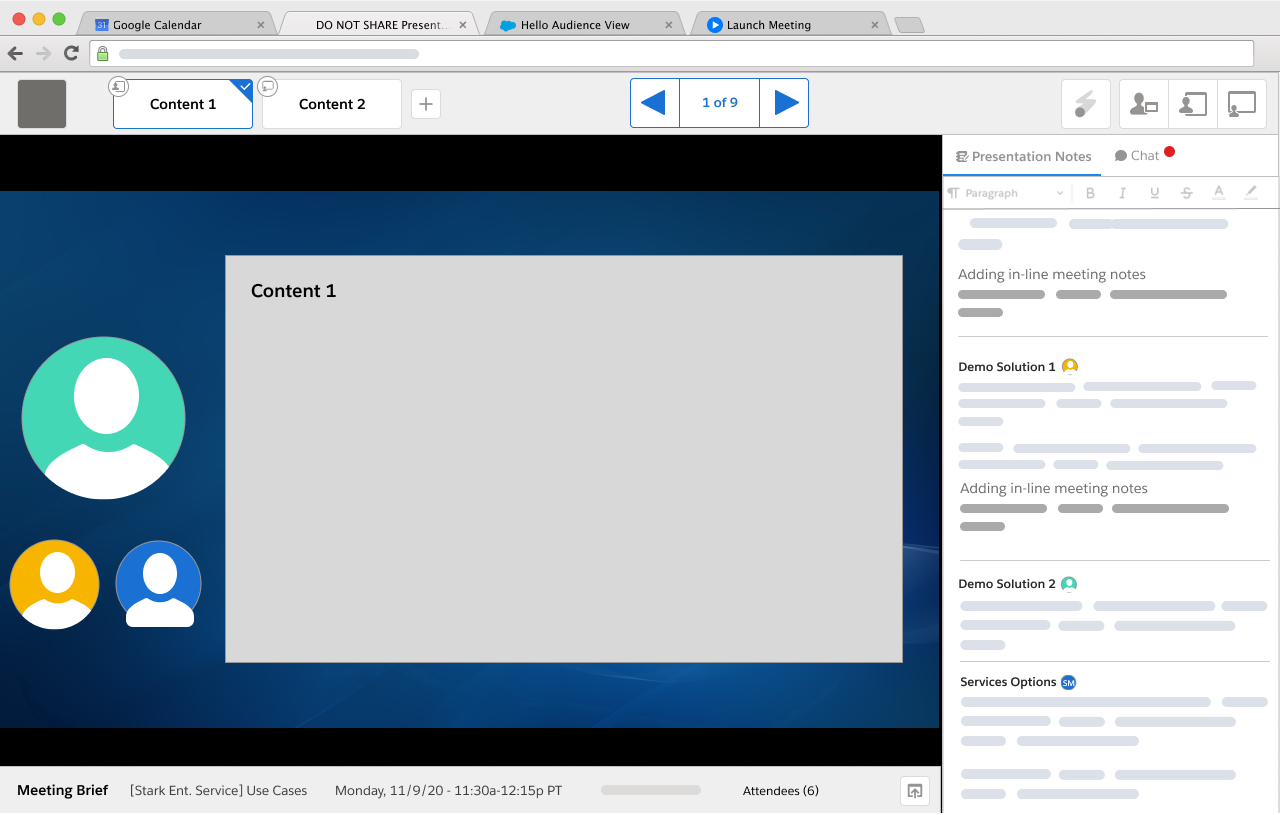
Active Presentation with Presenter Script
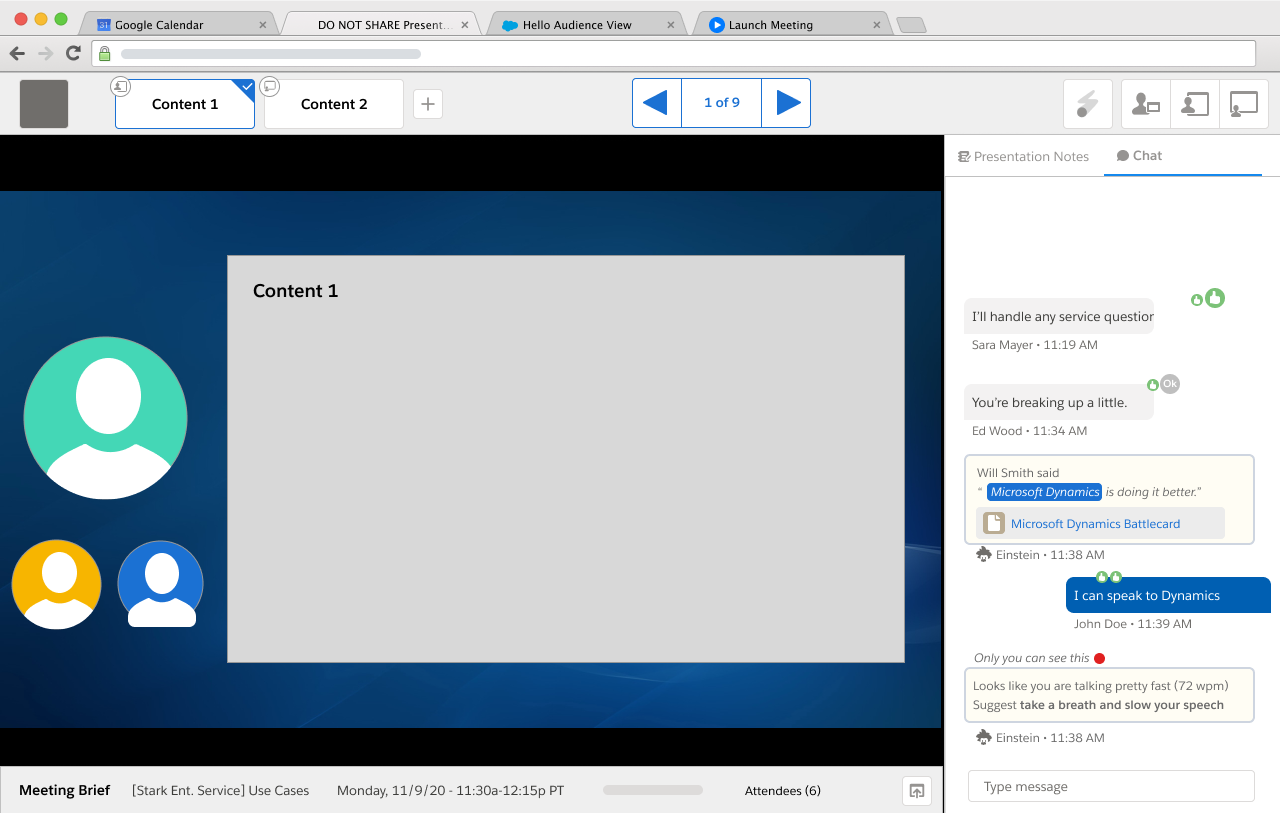
Active Presentation with Chat & Insights for Presenting Team
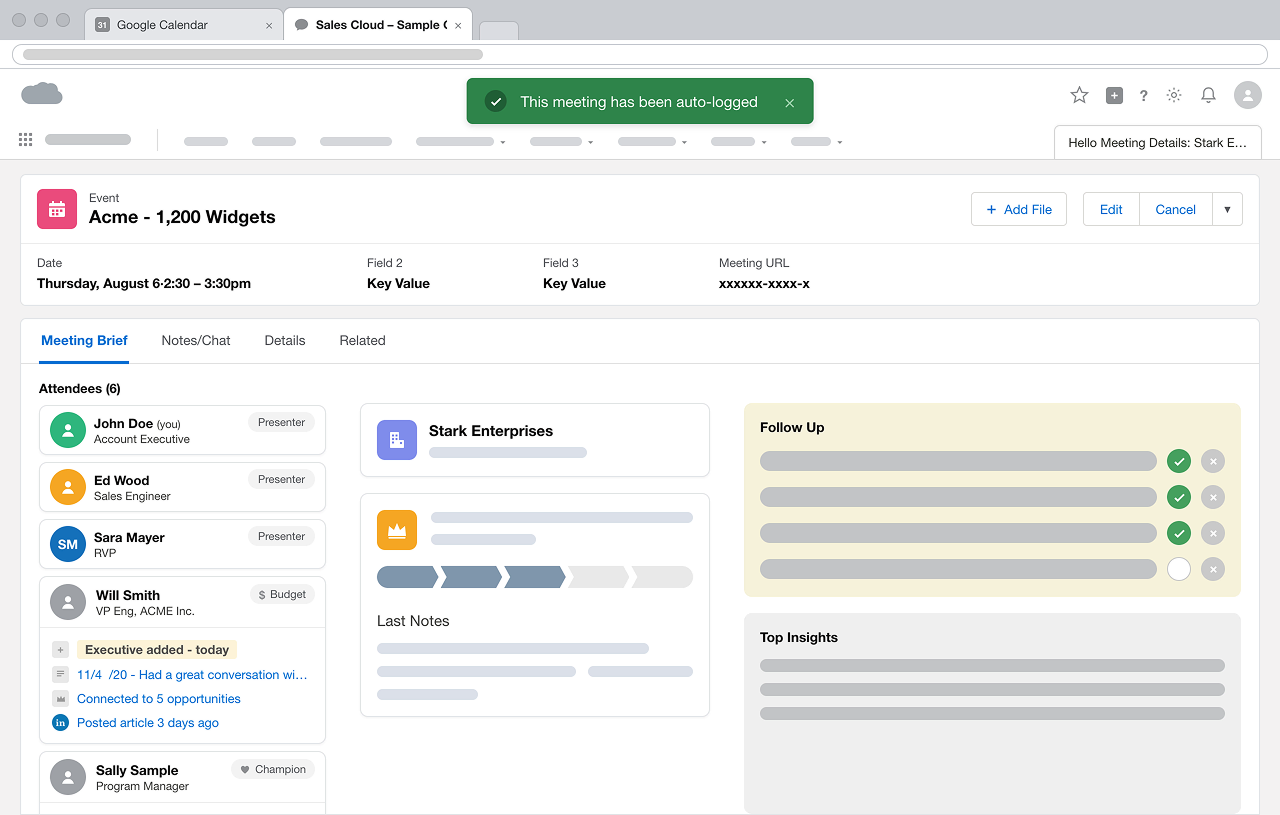
Post-Meeting Sketch with After-Action Tasks
Solution Overview
The final concept was delivered in two phases to balance speed and long-term platform integration.
Phase 1: Meeting Studio
The first phase focused on improving the experience of presenting during digital sales calls.
Because the Sales Cloud team wanted to move quickly during COVID-19, this solution was released as a standalone browser application rather than waiting for a full Salesforce release cycle.
Capabilities included:
- Queue multiple presentation assets including documents, demos, and URLs
- Switch between presentation materials mid-call
- Control how the presenter video appears alongside shared content
- Adjust the balance between presenter visibility and presentation content
Meeting Studio was released to Sales Cloud users within weeks of the initial concept.

Phase 2: Meeting Digest
The second phase integrated meetings directly into the Sales Cloud platform.
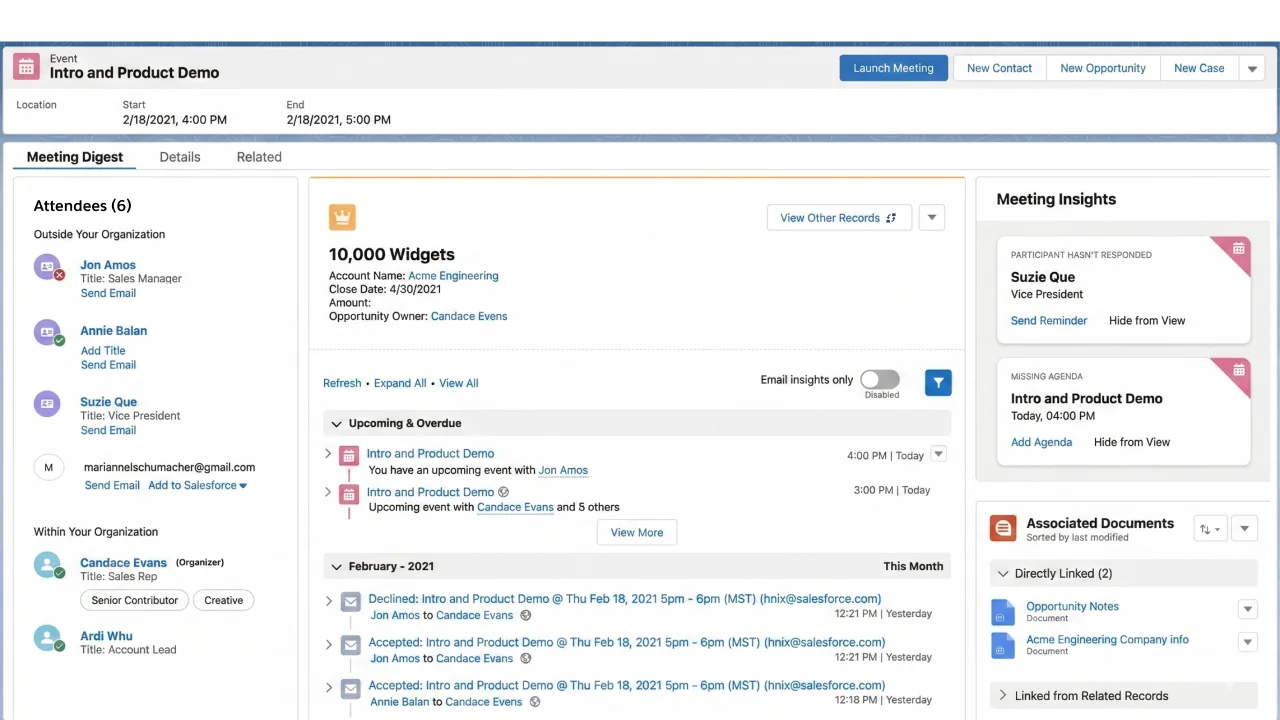
A new Meeting Digest tab within the Event record became the central workspace for meeting preparation and follow-up. Before the meeting, Meeting Digest aggregated critical information including:
- Contact records for all attendees
- Related account and opportunity records
- Recent activity and communications
- Relevant documents such as agendas and presentations
The system also surfaced insights that called attention to potential issues such as:
- Missing opportunity information
- Attendees who had not responded to the meeting invitation
- Newly added participants that required internal coordination
After the meeting, the same workspace transitioned to a follow-up mode. Insights were replaced with calls to action that helped the sales team:
- Capture notes and the meeting outcome
- Assign follow-up tasks
- Document next steps with the prospect
Once the meeting was completed, the activity was automatically logged into the record history, ensuring the interaction became part of the permanent CRM timeline.
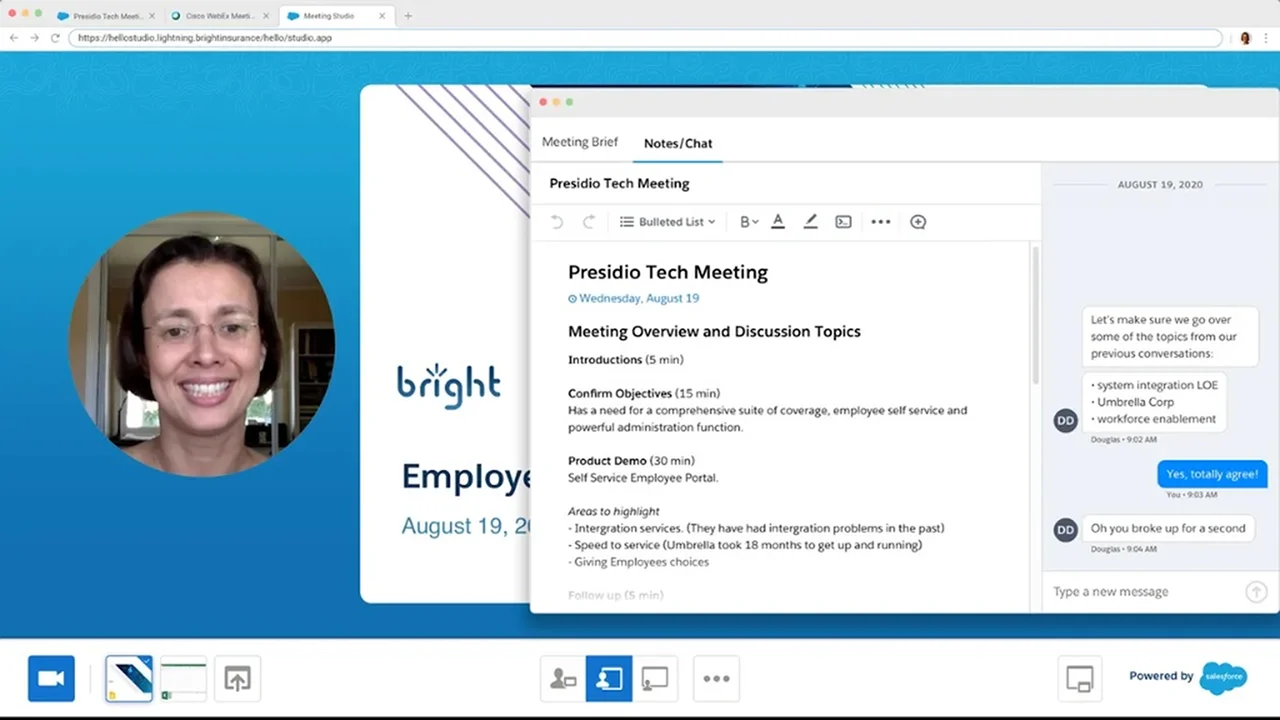
Phase 2: Presenter Panel
Phase 2 brought integration between Meeting Studio and the CRM.
A floating browser panel visible only to the presenter became available during a meeting. It gave access to Meeting Digest, documents, and live chat between the sales team.
Impact & Outcomes
Product Impact
The meetings capability became available to 150K+ Sales Cloud users, extending the CRM from a system of record into a system that actively supports live customer conversations.
Platform Evolution
Two later features built on it:
- Einstein Activity Capture integrations that automatically associate communications with CRM records
- Conversation Intelligence features that analyze meeting transcripts and surface coaching insights